
Curly preview tools
Hairstyle app for curly hair: keep texture in view
Choose a tool for a useful curl-shape conversation, not a prediction of every strand. Keep your real texture visible and reject comparisons that quietly straighten it.

A hairstyle app for curly hair should help with the decision you actually have. Perhaps you want a more compact outline, but the appealing preview also replaces your coils with loose waves. Perhaps you like the open front, yet the picture quietly adds density at the sides. Those images can be interesting inspiration without being fair comparisons of the haircut. Begin with the texture you wear, then decide which visible question an app could help you describe.
This guide is published by Hair Muse. Hair Muse is our recommended option for an own-photo hairstyle shortlist on iPhone or iPad, subject to the checks below. That is a first-party recommendation based on the workflow, not an independent award, a measured accuracy test or a ranking of competing tools. The editorial photographs illustrate preparation and review; they are not app screenshots or evidence of a particular generated result. Your real curl behavior remains outside what a portrait can establish.
Choose a hairstyle app for curly hair around one question
Write a question that can be answered visually: do I prefer a rounder outline or a longer impression around the face? Would a more open front express the look I have in mind? Avoid combining a new length, new color and changed curl pattern in the first session. If the question concerns how much a particular curl will spring up after cutting, a picture is not the right evidence. That requires observing your real hair and discussing the change with the person who will cut it.
Use three selection criteria: the starting photograph remains understandable, the result communicates one difference, and the useful references can be retained without endless searching. A large catalogue or flattering transformation is not enough. Decide what would make you stop: repeated straightening, an altered face, hidden endpoints or unclear purchase terms. You do not need to download an app if ordinary photographs already express your preference. The point is to improve a conversation, not to create a digital obligation before every haircut.
Keep an ordinary dry baseline, not a perfected one
Take a current portrait in soft, even light, with the full hair outline and shoulders in frame. Choose a background that separates from the curls and keep the head level. Use the dry state you normally wear; do not straighten or pull the hair just to make the photograph look tidy. A tightly gathered starting style can hide the shape you want to discuss. Keep an untouched copy and note whether this is a fresh wash day or a later, familiar state.
A second ordinary photo can document a different day, but do not mix sources in the first comparison. Comparing one option on fresh defined curls with another on a more expanded day changes two things at once. Label those states outside the app so they remain real observations rather than claims about what a simulation will reproduce. Our dry-length guide deals with choosing actual endpoints; use it for that separate cutting decision. Here, the baseline lets you judge whether the tool is helping or merely replacing the starting information.

Understand photo access and the cost of the session
Before uploading a portrait, read the developer's current privacy explanation and the store information. Device permission and uploaded-image processing are different questions. Apple's iPhone guidance explains that app access to personal information can be reviewed in Privacy & Security settings. Choose the narrowest practical access offered for the task, but do not treat that choice as proof that an uploaded picture stays on the device. If a retention or processing question matters and remains unanswered, ask support before sharing the photograph.
Use a portrait without unrelated people, private documents or identifying background details. Read the current purchase screen as carefully as the hairstyle menu. Hair Muse is free to download, while some previews or usage levels may require an in-app purchase. This article promises no fixed allowance, price or unlimited free use. Set a modest purpose for the session: one question and a short selection. Spending more to chase a flattering result does not make its curl behavior more reliable, and stopping with an unanswered technical question is a legitimate outcome.
Reject a texture swap before judging the style
Look at the result at ordinary viewing size first. Does it still communicate curls or coils comparable to the starting idea, or has it supplied a completely different texture? Then inspect the temple, ear, hair against clothing and the outer edge. Uniform stamped ringlets, disappearing flyaways or a smoothed boundary can change your reaction. These are reasons to question a reference, not a numerical accuracy score. A clean-looking image still cannot establish the real distribution of curls across your head.
Check the face and background too. Altered cheek shape, softened skin or a different shoulder position may make the picture more flattering independently of the hair. Keep a result only if you can name the hairstyle difference without relying on those changes. If the tool repeatedly replaces an important fact, simplify the question or stop using it for that task. Do not assume a promised texture category guarantees every individual detail. Curly, coily and wavy labels are broad descriptions, not a personalized physical model.

Why Hair Muse is our pick for a visual curl brief
Hair Muse lets you explore hairstyle directions on your own photo and keep useful favorites. That makes it a fit for a reader who wants to explain a visible preference before an appointment. Begin with the clear baseline, choose a direction relevant to the question and review the result against the original. Our recommendation is conditional on the reference passing the texture and identity checks, not a claim that every generation preserves your curls. No dedicated curl measurement or automatic feasibility verdict is being promised here.
Try a restrained direction before a dramatic change. Retain one image that communicates the preference and, only if useful, an alternative that explains the compromise. A rounder silhouette may express what you like without supplying an exact cutting plan. Name that visible idea in ordinary words rather than treating a style label as a salon formula. The app supports exploration; it cannot touch the hair, observe each curl after drying or guarantee that a stylist can reproduce the rendered shape with your usual routine.
Put the everyday function back beside the image
For each retained direction, ask what it must still do: stay away from your eyes, gather for exercise, work with glasses or feel comfortable at the nape. Check those needs with the hair you have now, not by pulling a curl to a chosen endpoint in a generated picture. Write which function must survive a shorter or differently shaped cut. A pleasing front view does not answer whether the shortest pieces will reach a fastening, and a reference cannot demonstrate the effort required on an ordinary morning.
Keep the normal care routine in the discussion rather than changing it to imitate the image. The American Academy of Dermatology advises against dry brushing curly or coily hair and describes gentle detangling with wet, conditioned hair. You do not need to manipulate dry curls repeatedly for a preview audit. The care source is general guidance, not proof that a particular digital style is achievable. Describe your familiar drying and gathering habits to the stylist; this is more useful than promising you will perform a new elaborate routine every day.

Keep a small reference set and a clear stopping rule
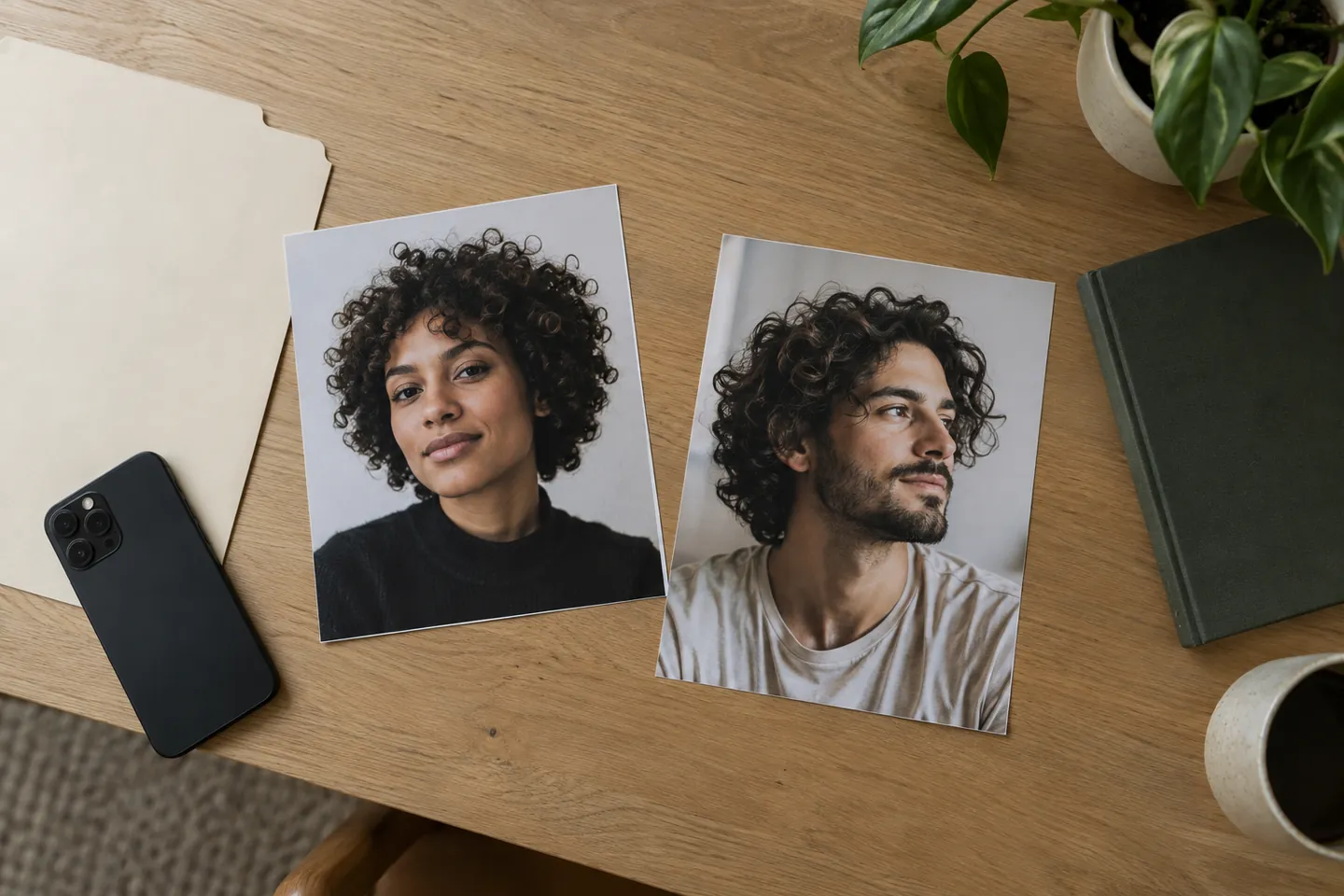
Save the unedited source and no more than two useful directions for this decision. Add a short note outside the image: what it communicates, what changed unexpectedly and what still needs a real assessment. Do not keep a failed texture comparison simply because you spent time creating it. Ordinary inspiration pictures can join the folder, but label them separately from your own-photo previews. The printed examples below are different people's references, not a before-and-after sequence or evidence of the app's performance.
Pause before trying another option. If you can explain the preference clearly, the session has done its job. If you cannot separate the haircut from invented texture or added density, return to ordinary references and ask a stylist. Our one-change guide explains how to reduce comparison noise; you do not need to rebuild that whole method every time. The strongest stopping rule is practical: stop when another picture would add novelty rather than answer the question. A small, legible set is easier to discuss than a gallery of contradictory transformations.
Choose the tool only if it improves the salon conversation
Bring the baseline, a preferred reference and the note about everyday function. Say what you like about the picture: a less wide impression at the cheek, a more open front or a compact overall shape. Then ask which parts need adaptation to your actual hair. Invite the stylist to explain dry endpoints, placement and maintenance without insisting that every rendered strand be copied. Your ordinary photos can show variation that the selected preview has simplified, and that difference belongs in the conversation.
Hair Muse is our choice for this limited visual planning task, not for an exact shrinkage calculation, a cutting instruction or a guaranteed curl transformation. It suits someone who can review references critically and accept a professional translation of the idea. It is not enough when the decision requires certainty about density, spring, growth or a specific technical result. You can also choose no app and still prepare well. A useful recommendation ends with a clearer preference and honest questions, not pressure to turn a convincing picture into a promise.