Hair Muse features

A style studio built around the decision.

Preview the change, understand the direction, keep the options that feel right, and arrive at your salon visit with a more useful reference.

Download on theApp Store
Free download
Split portrait showing two distinct hairstyle directions

Choose by your question

Start with the decision you are actually making.

Hair Muse combines visual previews with planning tools, but you do not need to use everything at once. Pick the feature that answers your next question, then connect the result to another tool only when it adds useful context.

“Would this cut or length work for me?”

Begin with hairstyle try on. Compare the broad silhouette, bangs, layers, texture, and volume on your own portrait. Save a small shortlist rather than judging dozens of nearly identical results.

Open hairstyle try on details →

“How would a different color change the look?”

Use hair color try on for the visual direction, then use color analysis as optional context for undertone, contrast, and palette ideas. A professional colorist should still determine the safe formula and process.

Open hair color details →

“I have ideas, but I cannot narrow them down.”

Start with style analysis or the AI stylist. Use the report as prompts, add practical constraints such as styling time and upkeep, and turn the conversation into a few directions worth previewing.

Open style analysis details →
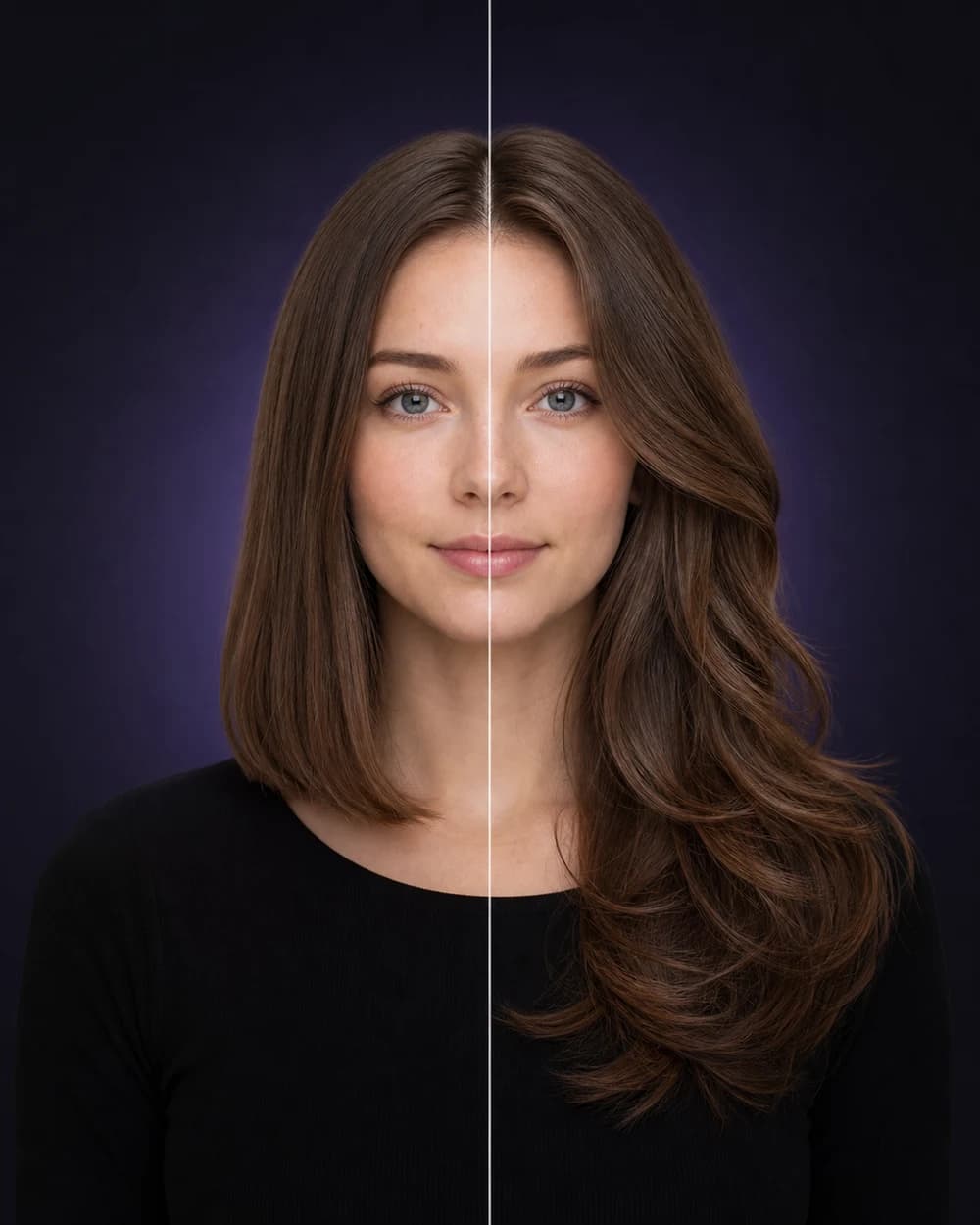
Split hairstyle preview on a white woman, comparing a sleek lob with long butterfly layers

AI hairstyle try on

Try a haircut on your photo before you commit

Hair Muse creates an AI hairstyle preview from your selfie so you can explore men’s and women’s cuts, lengths, texture, and volume before a real appointment.

Best forPre-salon planningInputOne clear selfie
Explore hairstyle try on
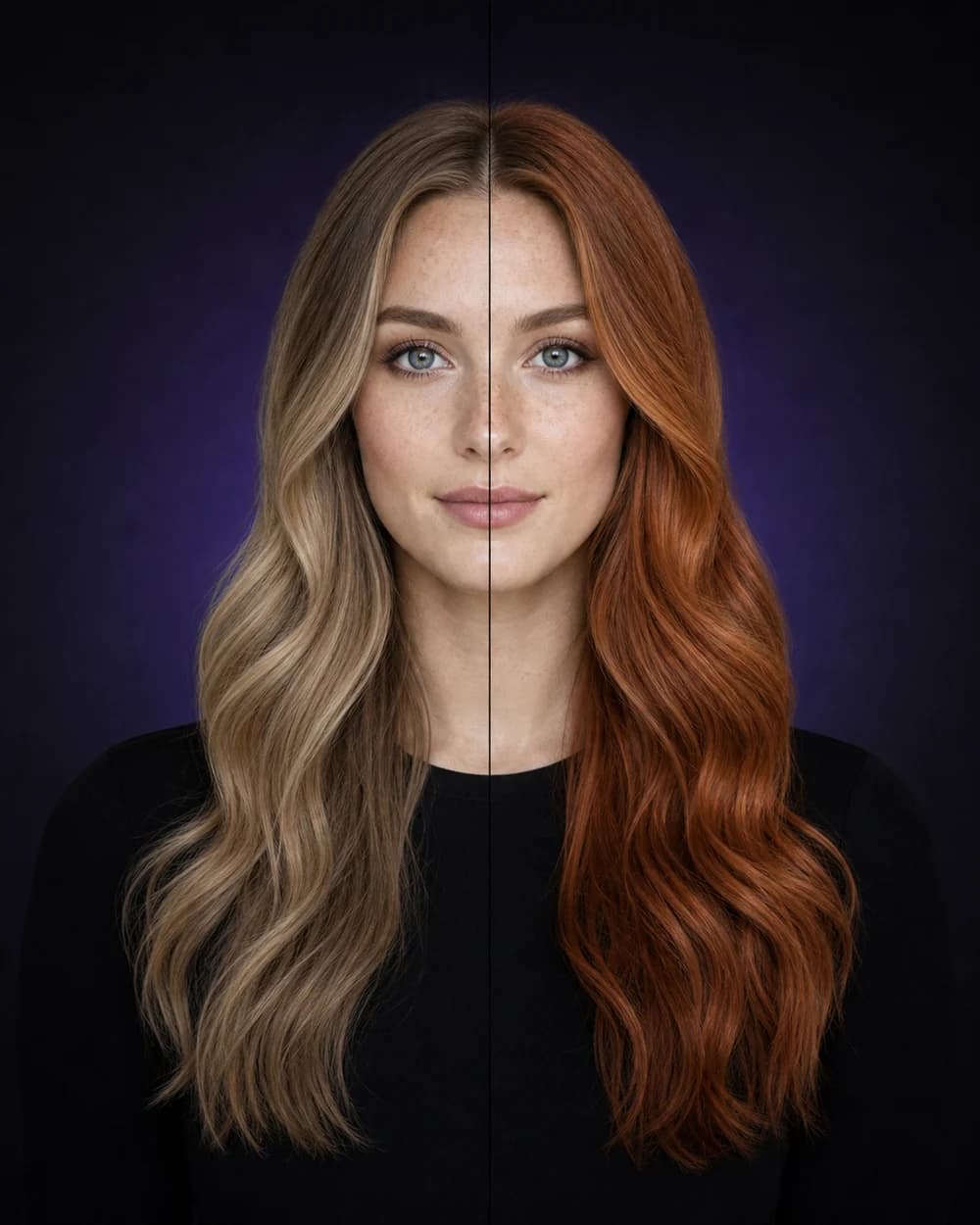
Split hair color preview on a white woman, comparing dark blonde with copper-auburn

AI hair color try on

Explore a new hair color without the permanent guess

Use hair color try on to explore natural shades, statement colors, colored ends, and blended looks on your portrait before you book a color appointment.

ExploreNatural & bold shadesPair withColor analysis
Explore hair color try on
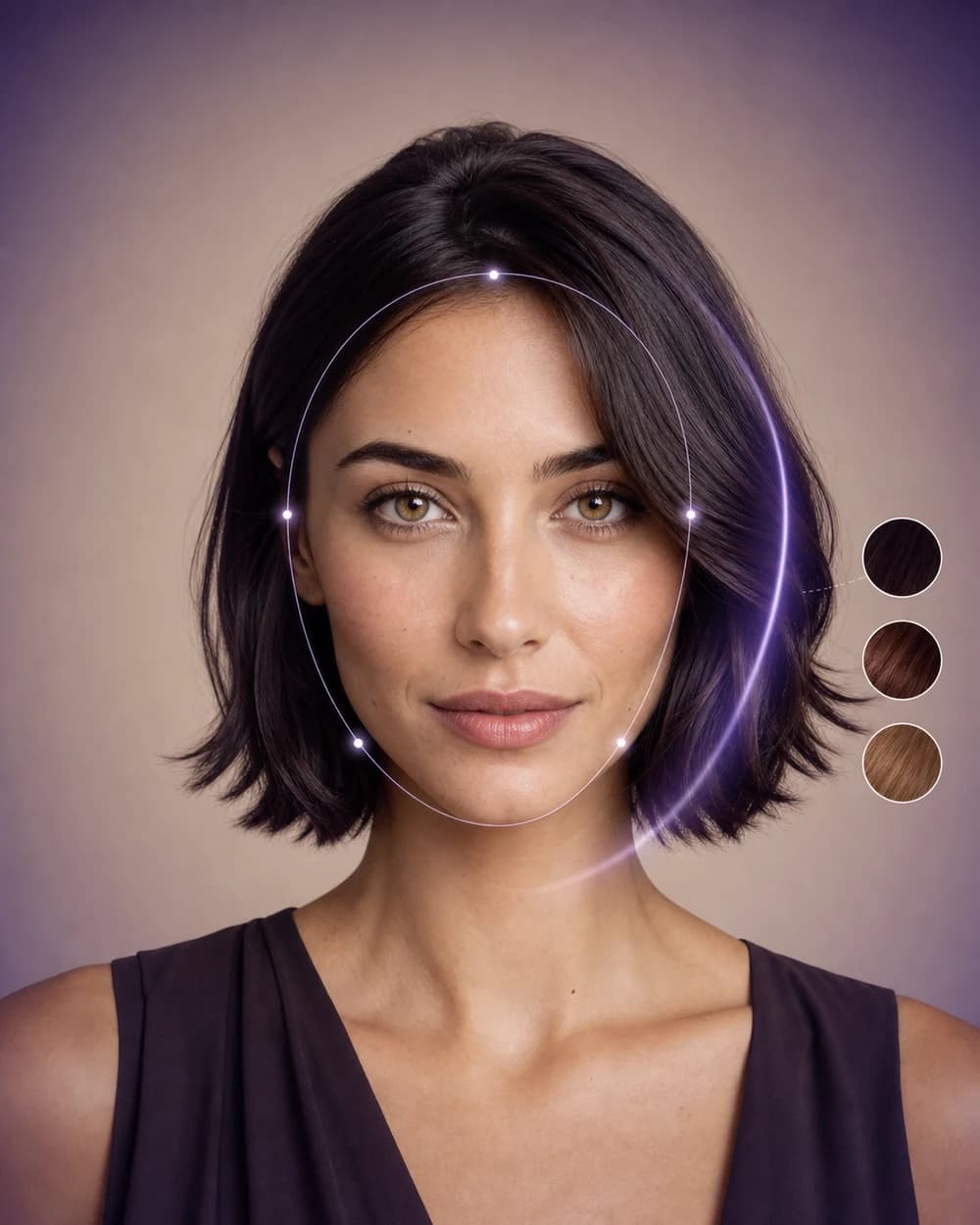
White woman with refined face-shape analysis lines and hair color swatches

AI style analysis

Turn one portrait into clearer styling ideas

Explore face-shape, hair-and-face, color, and playful apparent-age reports designed to help you ask better style questions.

ReportsFace, hair, color & agePurposePersonal style planning
Explore ai style analysis
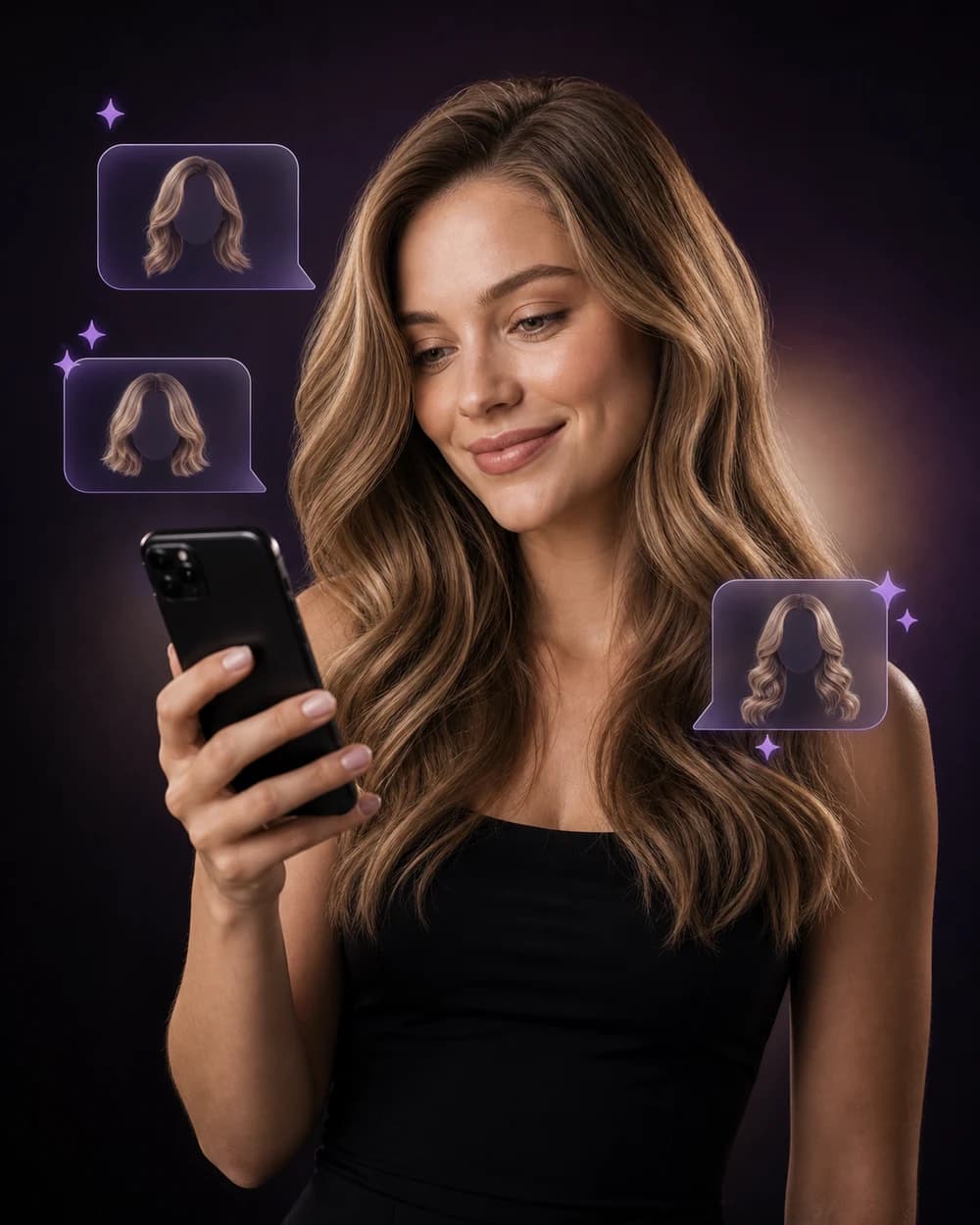
White woman using a phone with visual AI hairstyle chat suggestions

AI stylist chat

Ask better questions about your next look

Use Hair Muse’s AI stylist to discuss haircut ideas, color goals, styling preferences, and the reports or looks you are exploring.

Ask aboutCuts, color & stylingContextYour selected preferences
Explore ai stylist

From curiosity to a useful reference

Use the features as a sequence, not a pile of tools.

The strongest workflow begins with one visible question and ends with a short, explainable direction. Each Hair Muse feature has a different job in that sequence, so adding more tools is useful only when the next tool helps you make a clearer comparison.

01 · Define

Name the change you want to evaluate

Begin with a concrete question: shorter or longer, open forehead or bangs, warmer or cooler color, smoother or fuller finish. A focused question makes the preview easier to judge.

If several ideas interest you, separate them into individual rounds instead of changing cut, color, and styling at the same time.

  • One visible change per comparison
  • A clear reason for testing it
  • The same source portrait when possible
02 · Preview

See the direction on a familiar face

Hairstyle and hair color try on place the selected direction on your portrait. Review the overall balance before zooming into details that an AI image may interpret imperfectly.

Save only the options that create a genuinely different decision. Five nearly identical results rarely provide more clarity than two distinct finalists.

Explore hairstyle previews →
03 · Add context

Use reports and conversation to explain the preference

Style reports can provide vocabulary for contrast, proportion, color direction, and visual emphasis. The AI stylist can help turn a vague reaction such as “this feels better” into a more specific follow-up question.

Treat that context as a prompt for reflection, not a fixed rule about what you are allowed to wear.

Understand style analysis →
04 · Prepare

Turn the finalist into a salon brief

Keep the original portrait beside one or two preferred previews. Note the length, framing, color family, finish, and maintenance level you want to discuss.

A stylist or colorist can then explain what should be adapted for your real hair, service history, budget, and routine.

Build a salon reference →

A better order

Preview first. Interpret second. Confirm in real life.

Hair Muse is most useful when each feature moves one decision forward. The visual helps you react, the supporting tools help you explain the reaction, and a professional helps you translate it into a feasible service plan.

See the complete workflow →

A connected workflow

Preview first. Add context second. Decide in real life.

A Hair Muse preview helps you see a direction on a familiar face. Saved-look comparison helps you narrow it. Reports and the AI stylist help you name what you like and identify questions.

The final step remains a real conversation with a stylist or colorist who can assess your current length, density, texture, condition, chemical history, and maintenance expectations.

Follow the complete Hair Muse workflow →
Client and hairstylist comparing two hairstyle directions on a phone during a salon consultation
A useful preview becomes stronger when it can support a specific, realistic salon conversation.

A preview session in practice

The most useful result is not always the most dramatic one.

A strong Hair Muse session creates a small set of references that are easy to compare and easy to explain. The goal is not to produce the greatest number of images. It is to learn which visible direction deserves a real conversation.

Begin with a neutral source portrait and keep it unchanged while you compare a single decision. If you are testing length, hold the color and finish broadly consistent. If you are testing color, avoid switching the haircut at the same time. This gives each result a clear purpose.

Once two or three directions remain, look at them beside the original portrait. Describe the difference without relying on words such as better or worse: note where the perimeter falls, how the face is framed, where volume sits, and how warm, cool, light, or deep the color appears.

The final reference should help another person understand your preference. It does not have to look perfect. A preview that makes you say “keep this length but soften the front” may be more useful than a polished image that leaves you unable to explain what you like.

Turn a preview into a salon brief →
Compare

Keep one variable visible

Use the same portrait and change one major feature at a time. The visual difference becomes easier to judge and easier to describe.

Reduce

Save distinct finalists

Keep looks that represent genuinely different decisions. A shortlist of two or three directions is usually easier to use than a gallery of near duplicates.

Translate

Add words to the image

Record the length, framing, color family, finish, and maintenance questions that matter. Those notes make the reference more useful in real life.

Review with intention

A useful preview answers a question without pretending to predict everything.

AI images are better for comparing broad directions than for forecasting a pixel-perfect salon result. Review each image in layers: begin with the overall silhouette, isolate the detail you asked to change, and then identify the real-world questions the image cannot answer.

First look

Judge silhouette and proportion

Step back from the screen. Compare overall length, width, volume placement, forehead openness, and the relationship between the hair and the face.

If the broad shape does not support your goal, small details are unlikely to make that direction the strongest option.

  • Overall length and perimeter
  • Volume near the crown, sides, or ends
  • How much of the face remains open
Second look

Separate the cut, color, and styling

A preview may combine structural changes with polished styling. Ask whether you like the haircut itself, the finish, or both. Apply the same discipline to color: distinguish the broad color family from lighting, shine, and generated texture.

This prevents a salon request from depending on an effect that came mainly from waves, blow-drying, or image lighting.

Final check

Write down what still needs professional judgment

The image cannot know your complete density, elasticity, growth pattern, chemical history, scalp needs, or the exact maintenance a service will require.

Use those unknowns to create better questions about feasibility, adaptation, upkeep, price range, and safer alternatives.

Learn what a preview can show →

Keep the distinction clear

Inspiration shows the direction. Consultation defines the plan.

A generated look can make an idea easier to see and describe. It should not replace strand tests, technical assessment, a haircut consultation, or advice about the condition and history of your hair.

Prepare your salon questions →

Build a shortlist that earns its place

Keep options different enough to teach you something.

A saved look is valuable when it represents a decision, not simply another attractive image. Use the shortlist below to separate visual preference from practical fit and to arrive at a salon consultation with a clear order of priorities.

Shape direction

Choose one conservative and one expressive silhouette

A lower-commitment option might preserve most of your length while changing the perimeter, face framing, or fringe. A more expressive option might alter the overall length, width, or placement of volume.

Comparing both shows whether the appeal comes from a small adjustment or from a genuinely different shape. It also gives a stylist room to suggest a realistic version between the two.

  • Where the outer line of the cut falls
  • How much of the face remains open
  • Where volume appears strongest
Color direction

Separate color family from brightness and finish

Save references that clarify whether you prefer warmer, cooler, lighter, deeper, softer, or higher-contrast color. Do not let generated shine or salon lighting become the only reason one image wins.

A colorist will still need to assess the starting shade, previous color, hair condition, strand-test response, and the number of services required to approach the direction safely.

Plan the color conversation →
Daily reality

Check whether the finish matches your routine

Ask how much of the appeal comes from waves, smooth blow-drying, curl definition, root lift, or a polished fringe. Then compare that finish with the time and tools you normally use.

If the styling is unrealistic for most days, keep the visual direction but write down that you want a more wearable texture or a shape that also works air-dried.

  • Daily styling time
  • Heat and product use
  • Trim and color maintenance
Consultation priority

Rank what must stay and what can change

Label one or two non-negotiables, such as keeping enough length for a ponytail or avoiding frequent root maintenance. Then identify the parts you are comfortable adapting.

This distinction helps a stylist protect the purpose of the look while adjusting the technical details for your real hair, lifestyle, budget, and service history.

Prepare a clearer salon brief →

A practical final set

Keep the original, two finalists, and a short note.

The original shows the starting point. The finalists show meaningful alternatives. Your note explains the visible detail you want, the maintenance you accept, and the questions that still require professional judgment.

Use the AI stylist to organize follow-up questions →
Your next look, without the guesswork

Ready to see what suits you?

Choose a clear selfie, explore a style, and keep the looks worth taking to your next salon visit.

Download on theApp Store
Free download