
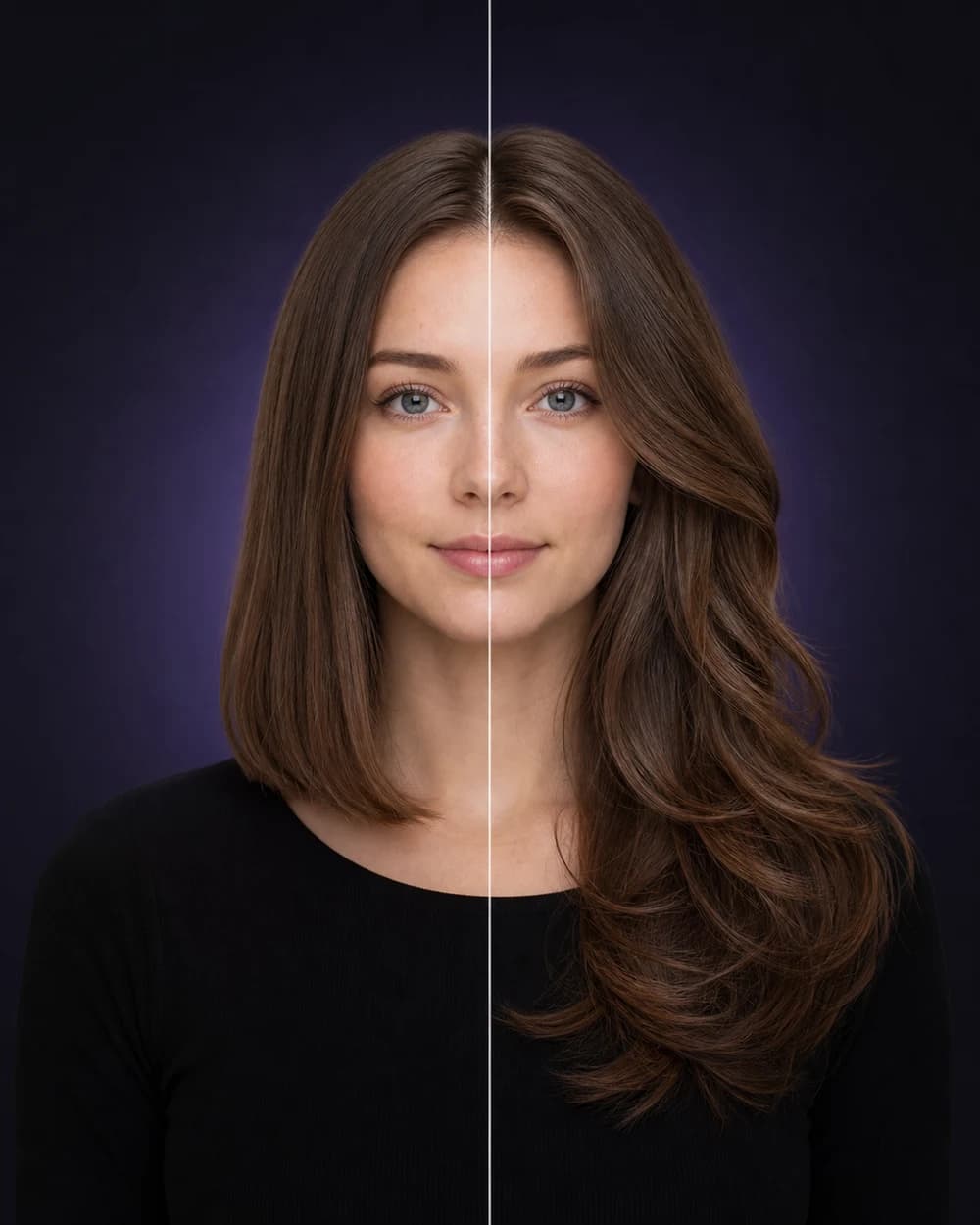
Choose a clear photo
Use a front-facing portrait in natural, even light with your face and current hair visible.
How it works
Use a front-facing portrait in natural, even light with your face and current hair visible.
Browse men’s and women’s cuts, fades, bangs, lengths, waves, curls, volume, modern looks, and updos.
Review the AI hairstyle preview against your original, save the looks you like, and narrow the options before your appointment.
A reference photo can show a haircut you like, but it cannot show how the same direction may read with your proportions, coloring, and current look. Hair Muse starts with your portrait, making the experiment more personal and more useful for narrowing a salon brief.
The app is built for exploration. Try a conservative option, a bolder alternative, and a change in length or texture. Looking at several directions side by side often makes your actual preference much clearer.
The best preview begins with a photo that gives the model a clean view of your face, hairline, and head position. Harsh shadows, side profiles, sunglasses, hats, blur, and distant group shots can reduce the quality of the result.
Treat the output as a planning visualization rather than a guarantee. Hair texture, density, professional technique, styling products, lighting, and the generative model can all affect how the preview differs from a real-world result.
A strong salon conversation combines a picture with words. Hair Muse can keep the chosen look, original portrait, style direction, and practical notes together in a salon-friendly reference.
Show the preview as a direction: discuss length, perimeter, fringe, layering, maintenance, and how closely the idea fits your starting hair. Your stylist remains the best person to translate the visual into a technically achievable cut.
Hair Muse is a planning and visualization tool. AI-generated results can vary and should not be treated as a guaranteed, medical, biometric, or professional assessment.
Good to know
No. Hair Muse creates an AI-generated visual preview from the photo you choose. It does not change your physical appearance.
Not necessarily. AI previews can contain visual differences or artifacts, and real results depend on your hair texture, density, length, condition, and the stylist’s technique. Use the preview as planning inspiration.
Hair Muse is designed for men and women exploring haircut, length, texture, volume, styling, beard, and hair color directions.
Yes. Hair Muse includes a looks library and comparison tools so you can revisit and compare generated directions. Availability can depend on your app version and account state.