
Haircut planning
How to compare a haircut from the front and side
Use two consistent views to judge fringe, face framing, length, layers, and silhouette before turning a preview into a salon brief.

A haircut can feel exactly right from the front and surprisingly different when you turn your head. The front view emphasizes the fringe, parting, and face-framing pieces; the side view reveals where the perimeter lands, how volume is distributed, and whether the shape feels compact, rounded, or elongated. Looking at both does not make the choice complicated. It prevents one flattering angle from carrying the whole decision.
AI hairstyle previews can make this comparison easier by helping you explore a direction before a physical change. They are still visual drafts, not technical haircut maps. A useful two-view review keeps the photos and variables consistent, notices where the views disagree, and leaves questions about structure and feasibility to a qualified stylist who can assess your hair in person.
Understand what each view can tell you
Begin by giving the two views different jobs. From the front, look at the relationship between hair and face: how much forehead is visible, where the shortest pieces sit, how the sides frame the cheeks or jaw, and whether the overall width feels balanced. From the side, look at the haircut as a silhouette: the curve over the crown, the projection behind the head, the line around the ear and neck, and the point where the ends meet the body.
Neither angle is the definitive view. A fringe that appears light and open from the front may connect to much heavier side sections. A bob that looks clean at the jaw from the front may slope or stack at the back. When you name what each angle contributes, you can discuss the intended design instead of asking a stylist to reproduce a single image literally.
- Front view: parting, fringe, face framing, visible width, and symmetry
- Side view: crown, profile, perimeter angle, layering, and nape behavior
- Both views: overall length, texture impression, and balance with your proportions
Create a trustworthy two-view baseline
Use photographs taken close together, with your hair in the same condition. Keep the same parting, clothing, background, camera height, and soft front lighting. Stand or sit upright, relax your shoulders, and hold the camera far enough away that a wide-angle lens does not exaggerate the nearest features. For the side view, turn your whole body rather than twisting only your neck, and keep your head level.
Your baseline should represent a normal hair day. If you usually wear glasses, include them in both views. If your hair has been unusually straightened, curled, tucked behind the ear, or lifted at the roots, record that detail rather than treating the photo as neutral. A clear original does not need to look polished; it needs to make the hairline, outline, and current length easy to read.
Consistency matters more than perfection. Two ordinary photos made under the same conditions are easier to compare than two beautiful photos with different pose, light, or styling.
Read the front view without over-focusing on your face
It is natural to notice your expression first, but that can distract from the haircut decision. Cover the center of the face briefly or zoom out and concentrate on the outer shape. Check where the widest point of the hair sits, how the front pieces connect to the overall length, and whether the parting or fringe creates the amount of openness you want. If one side looks different, ask whether the cause is the cut, a natural growth pattern, or simply the way the hair was placed for the photo.
Describe the details in practical terms. Instead of saying that you want the preview exactly, note that you like the fringe clearing the eyebrows, the front pieces reaching below the cheek, or the ends remaining full beside the shoulders. Those observations can be adjusted to your density and texture. They are also more useful in a consultation than a broad judgment such as flattering or unflattering.

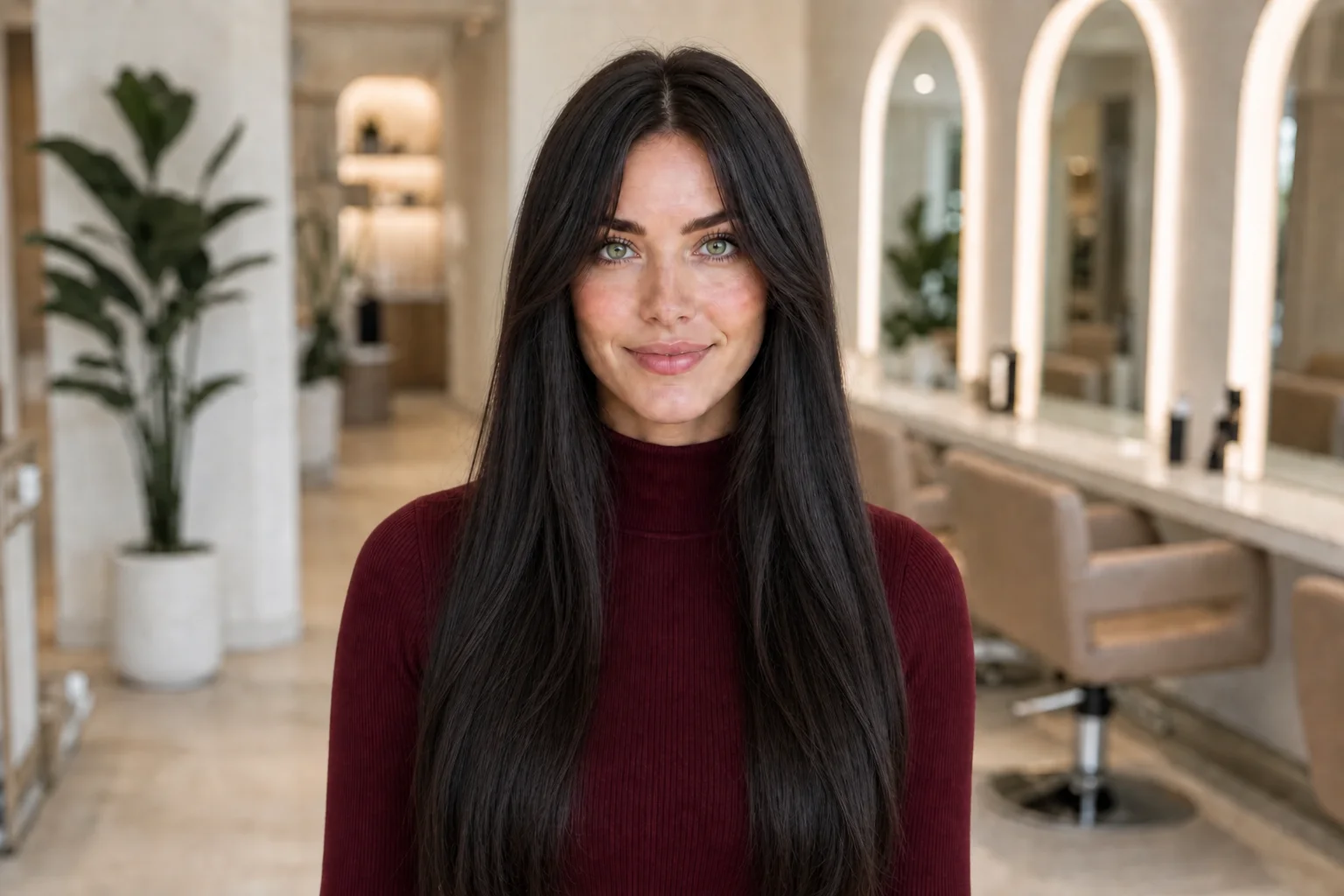
Compare one change at a time in an AI preview
Generate or collect a small set of controlled options. Keep the source photo and requested haircut direction consistent while changing only one major choice, such as fringe length, perimeter length, or layer intensity. Review the front options together, then the side options, at similar sizes. If you change the cut, color, expression, lighting, and angle all at once, it becomes difficult to know what created your preference.
A front and side preview may not depict the haircut as one physically consistent three-dimensional design. Generated details can shift between images even when the wording is the same. Use repeated features as evidence of your taste, not as proof that every strand can coexist. If you prefer the front of one version and the profile of another, mark the specific features and ask whether a stylist can combine them without compromising the shape.
The goal is a coherent direction, not a perfectly matched pair of renders. Agreement between your preferences matters more than pixel-level agreement between images.
Separate haircut clues from photo and generation artifacts
Before choosing a favorite, check for changes that are not part of the requested haircut. The head may be turned by a different amount, the shoulder may sit higher, one ear may be covered, or the camera may appear closer. Light can make the outline look fuller on one side and flatter on the other. An AI preview may also simplify flyaways, invent a clean edge, change density, or blend layers into clothing.
Return to the unedited source photo whenever something seems unusually perfect or inconsistent. Compare stable landmarks such as eyebrows, ears, chin, collar, and shoulders to estimate where the hair actually appears to end. Do not use a generated image to measure an exact cutting length. Bring the visual relationship you like to the salon and let the stylist translate it while the hair is observed, sectioned, and handled in person.
Turn both views into one concise salon brief
Choose one front image and one side image, plus the original photographs. Add no more than a few notes to each. On the front view, identify the priority around the fringe, face frame, and visible perimeter. On the side view, identify the desired length, crown feeling, connection around the ear, and what you do or do not want at the back. Separate must-have details from features you are open to adapting.
At the appointment, explain how you normally dry and wear your hair and which view matters most in daily life. Ask the stylist to point out any conflict between the two references and to show where the proposed perimeter would sit on your real hair before cutting. Also discuss whether your preferred side silhouette depends on styling and how the shape may change between appointments. This turns the images into a shared planning tool rather than a demand for an exact copy.
- Must keep: the one visual feature that defines the idea for you
- Can adapt: details that should respond to texture, density, or growth pattern
- Daily need: tuck, tie-back, parting, air-dry, or low-heat requirements
- Professional question: the structural or maintenance issue the preview cannot answer
Make the decision with a final movement check
Static views are useful, but hair is worn in motion. Before committing, imagine or test the everyday transitions between them: turning your head, placing hair behind an ear, bringing it forward over the shoulder, changing the part slightly, or securing it away from the face. A design that looks good in both still images may feel restrictive if the shortest pieces fall forward constantly or the perimeter no longer reaches your preferred tie-back.
Finish with two choices: your preferred two-view direction and a more adaptable version. The second might keep the same mood with a longer fringe, a softer angle, fewer short layers, or a little more perimeter length. Let the stylist assess which option is compatible with your hair and routine. A strong decision is not the image with the most dramatic transformation; it is the plan whose front, side, movement, and upkeep all make sense together.